


When I explain WassapShop to people, I keep it simple. WassapShop helps you sell on WhatsApp without repeating yourself, losing orders, or confusing customers.
You are not changing how WhatsApp works. You are just adding structure to it.
This guide walks through how to use WassapShop properly, and more importantly, how to use it in a way that helps you sell more.
Getting started with WassapShop
Create your store in minutes
The first step is creating your store. This is where you set up the basic identity of your business.
You choose:
- Your store name
- Your WhatsApp number (Don’t forget to add 234 country code to your number).
- Your store link
Once this is done, you already have a live WhatsApp store.
Adding products the right way
Set up clear products with prices
Products are the heart of your store. Each product should be easy to understand at a glance.
For every product, you add:
- Product name
- Price
- Product image
Clear product details reduce questions and help customers decide faster.
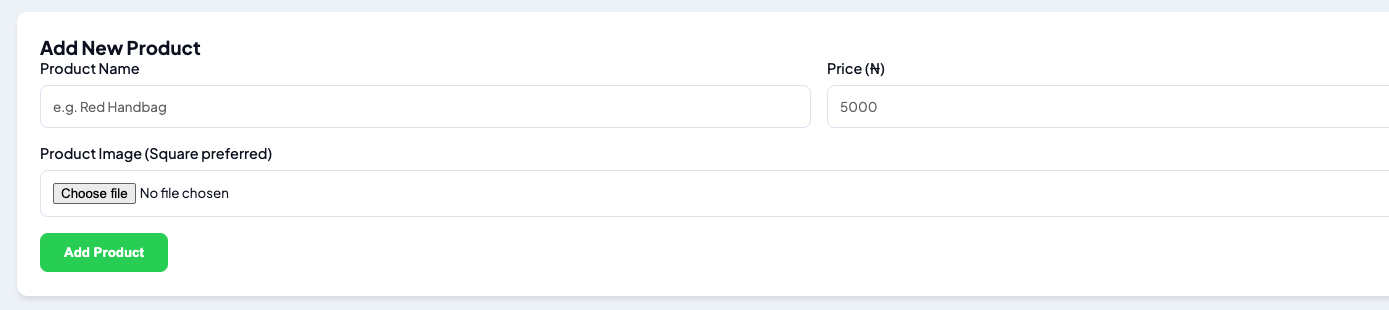
Keep product details short and clear
WassapShop is not a marketplace listing, and that’s intentional. You don’t need long descriptions to sell on WhatsApp.
When adding a product, you only focus on three things:
- A clear product name
- The correct price
- A good product image
This keeps your store simple and fast to scan.
The goal is not to explain everything upfront. The goal is to give customers enough clarity to click “Order” and start a conversation.
How customers place orders
Turn browsing into clean WhatsApp messages
When a customer clicks a product and chooses to order, WassapShop prepares the message for them.
Instead of typing manually, WhatsApp opens with:
- Product name
- Quantity
- Price
This makes order messages clear and easy to understand.
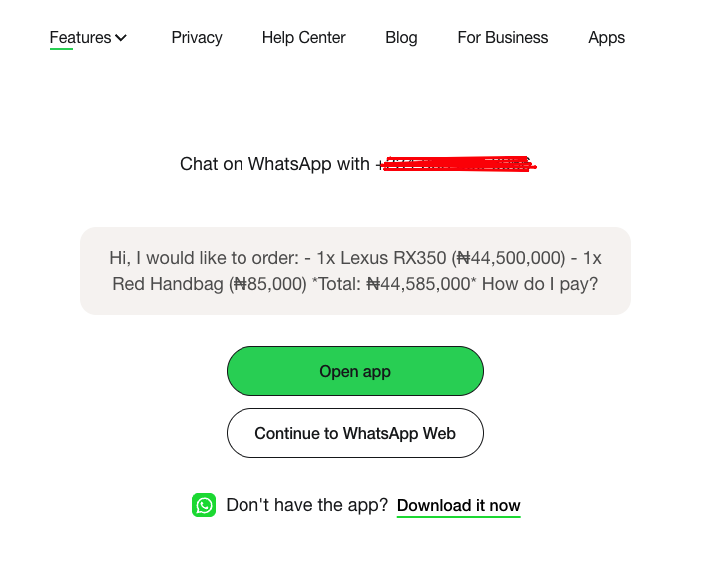
Reduce confusion during chats
This is where many sales are saved.
Instead of guessing what a customer wants, you already know:
- What they selected
- What they are ordering
- What price they saw
Less guessing means fewer mistakes and faster replies.
Sharing your store link correctly
Use one link everywhere
Your WassapShop store link becomes your main sales link.
You can share it on:
- Instagram bio
- WhatsApp status
- Facebook pages
- Direct messages
Instead of sending photos one by one, you send one link.
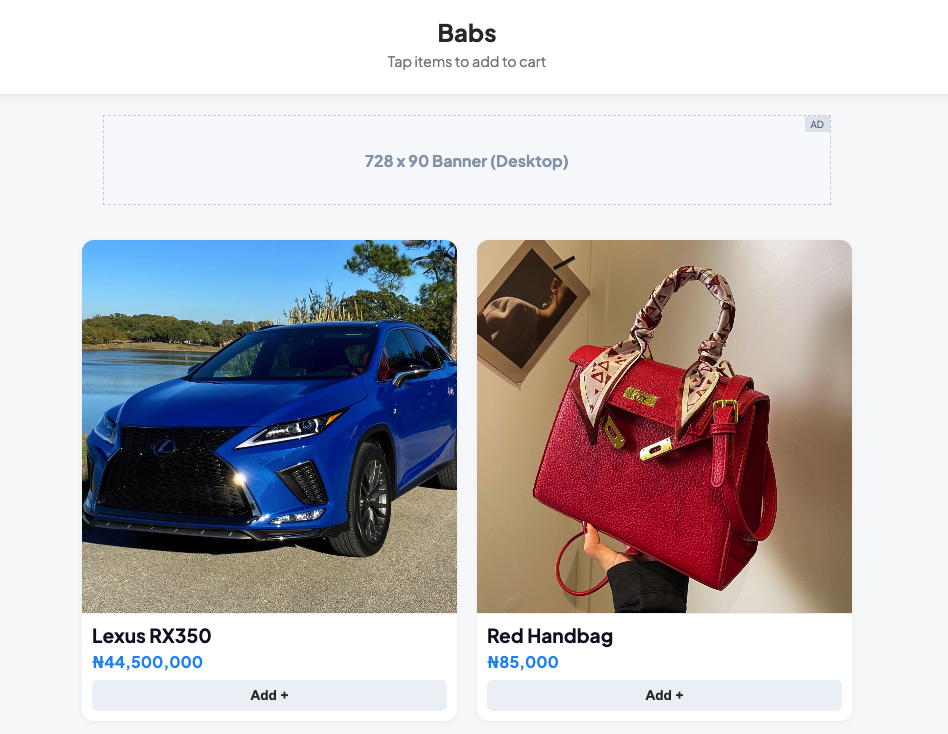
Let the store do the explaining
When customers browse first, chats become shorter.
Most conversations move straight to:
- Availability
- Delivery
- Payment
This is where selling becomes easier.
Managing orders through WhatsApp
Keep everything inside WhatsApp
WassapShop does not move you away from WhatsApp. Orders still land where you already talk to customers.
This means:
- No new apps to learn
- No complicated dashboards to manage during chats
- No switching tools mid-conversation
You stay focused on closing the sale.
Follow up faster and more confidently
Because order details are clear, follow-ups feel professional.
You can confirm orders faster and move customers to payment without delay.
Small tips that help you sell more
Keep your product list focused
Too many products can overwhelm buyers. Start with your best-selling or most popular items.
You can always add more later.
Update prices and availability often
Accurate information builds trust. If prices or stock change, update them in your store so customers don’t feel misled.
Share your store link often
The more people see your store link, the fewer repetitive questions you answer.
Why this approach works
WassapShop works because it respects how small businesses already sell.
It doesn’t force you into a complex system. It simply:
- Organizes your products
- Cleans up conversations
- Helps customers decide faster
That combination leads to more completed sales with less effort.
Final thoughts
If you are already selling on WhatsApp, WassapShop helps you sell better, not differently.
The goal is simple:
- Less back and forth
- Fewer mistakes
- Faster decisions
- More closed sales.
In the next article, I’ll cover common mistakes businesses make when selling on WhatsApp and how to avoid them using WassapShop.


